Posts and pages
Write drafts, rewrite titles and intros, suggest excerpts. In the block editor, changes arrive as unsaved edits you review and save.
WordPress plugin
Ask in plain language. Aoedia reads your posts, pages, comments and tags, proposes the changes, and nothing happens until you approve them.
Free and open source. Works with the AI provider you choose.
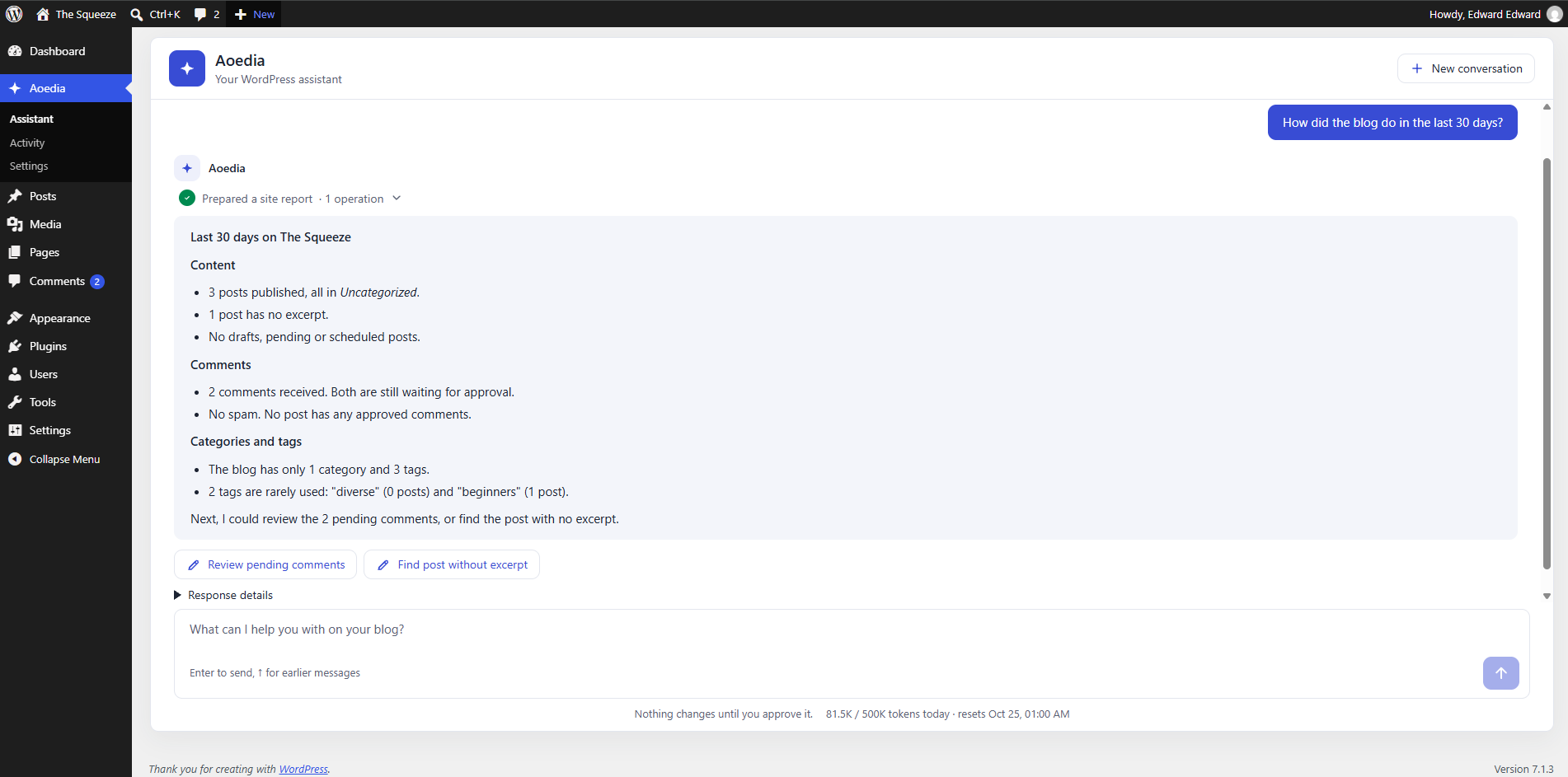
Aoedia works with the content you already have, using your own WordPress permissions.
Write drafts, rewrite titles and intros, suggest excerpts. In the block editor, changes arrive as unsaved edits you review and save.
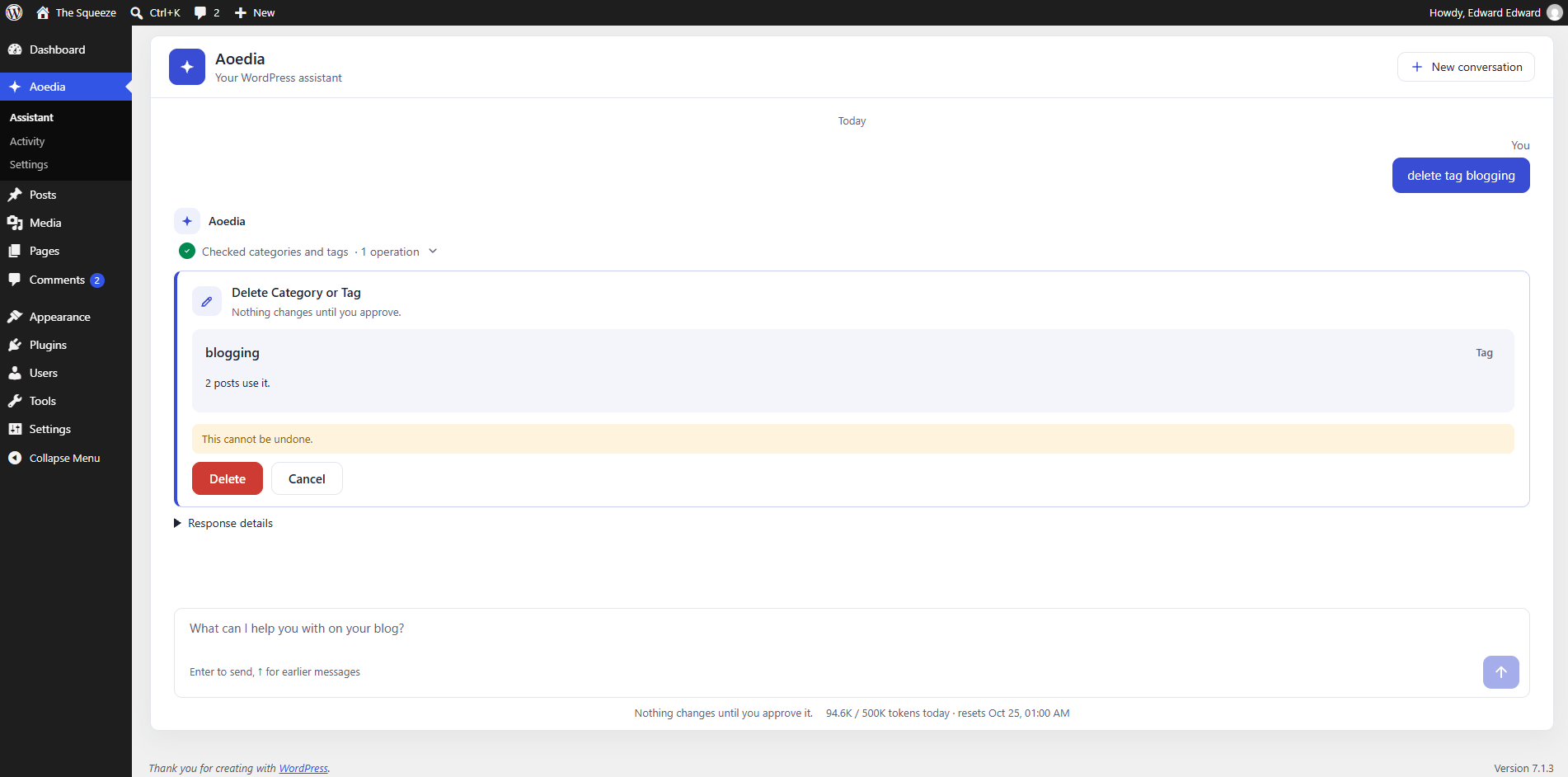
Create, rename, merge and clean up terms. Before anything is deleted, you see how many posts it affects.
See what is waiting for approval, spot spam, approve or trash in bulk, and reply under your name.
"How did the blog do this month?" Posts published, forgotten drafts, comments, rarely used tags.
"Publish it next Tuesday at 9." Aoedia proposes the exact date, and only people who may publish can approve it.
Checks titles, descriptions, headings, alt text and links, and fills in Yoast SEO or Rank Math fields.
Open Aoedia in the admin menu, or in the sidebar while you edit a post or page. Write the way you would to a colleague, in any language.
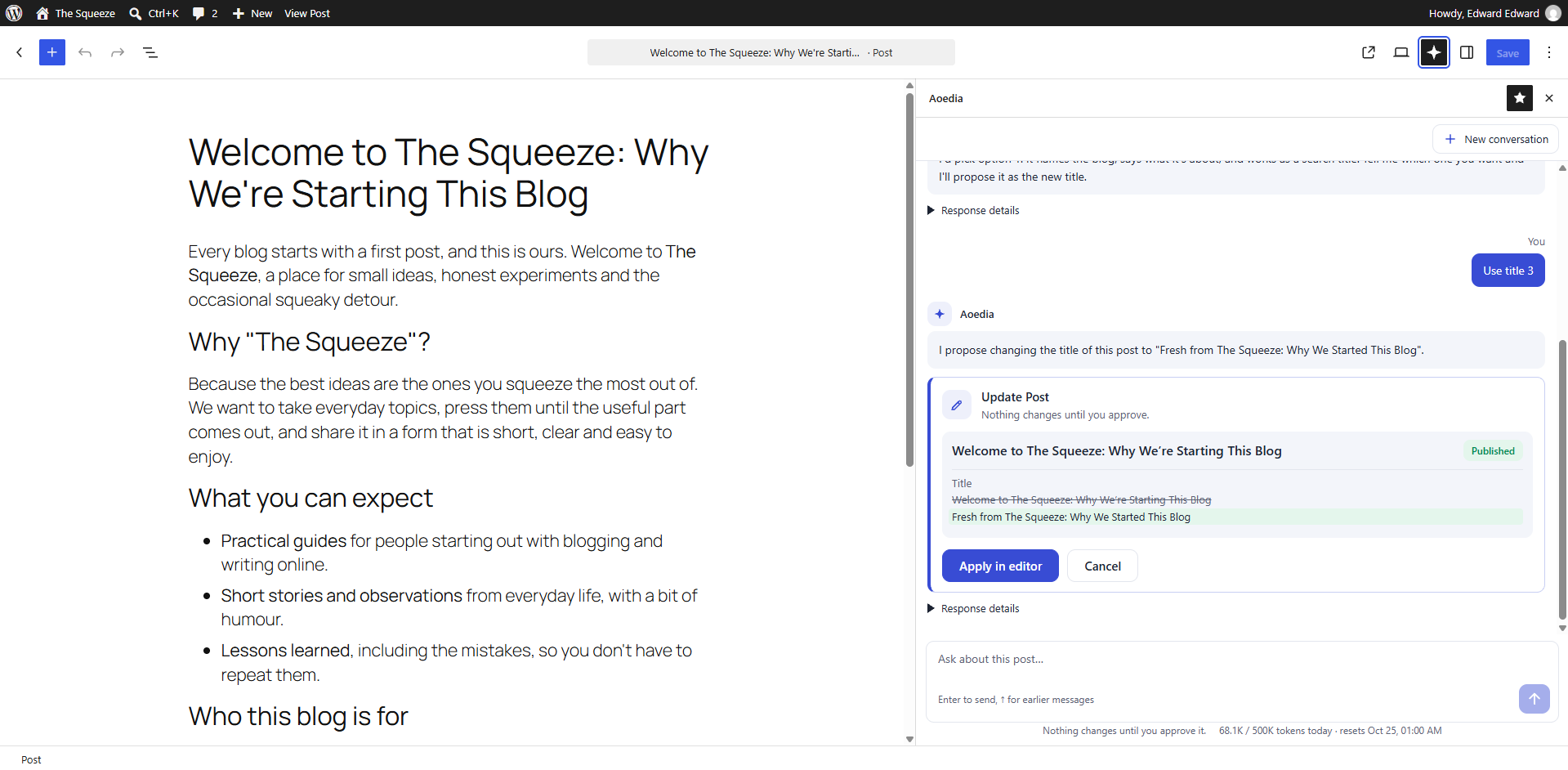
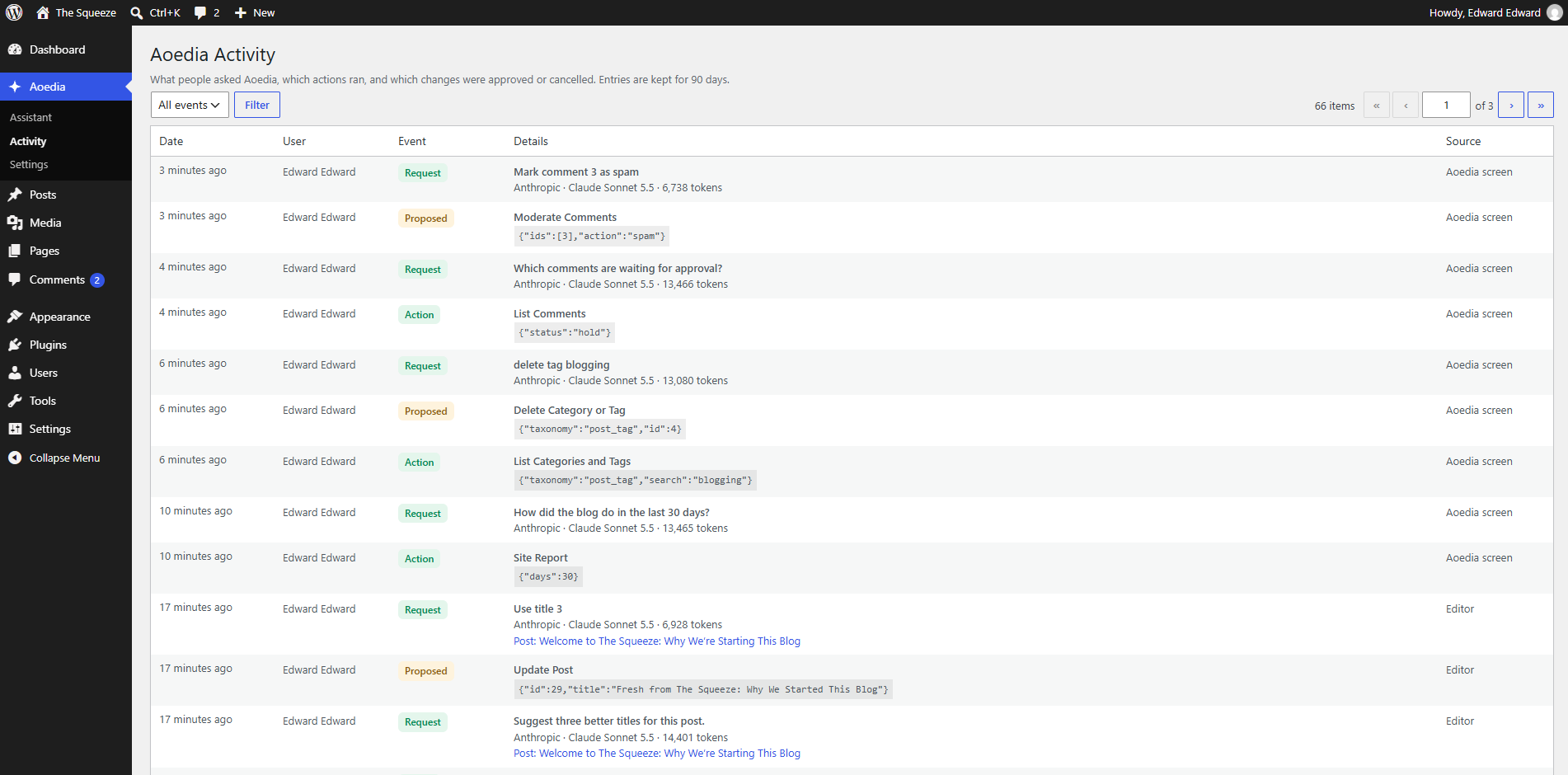
Every change comes back as a card: the current value next to the new one, the comments it affects, or the posts a deletion touches.
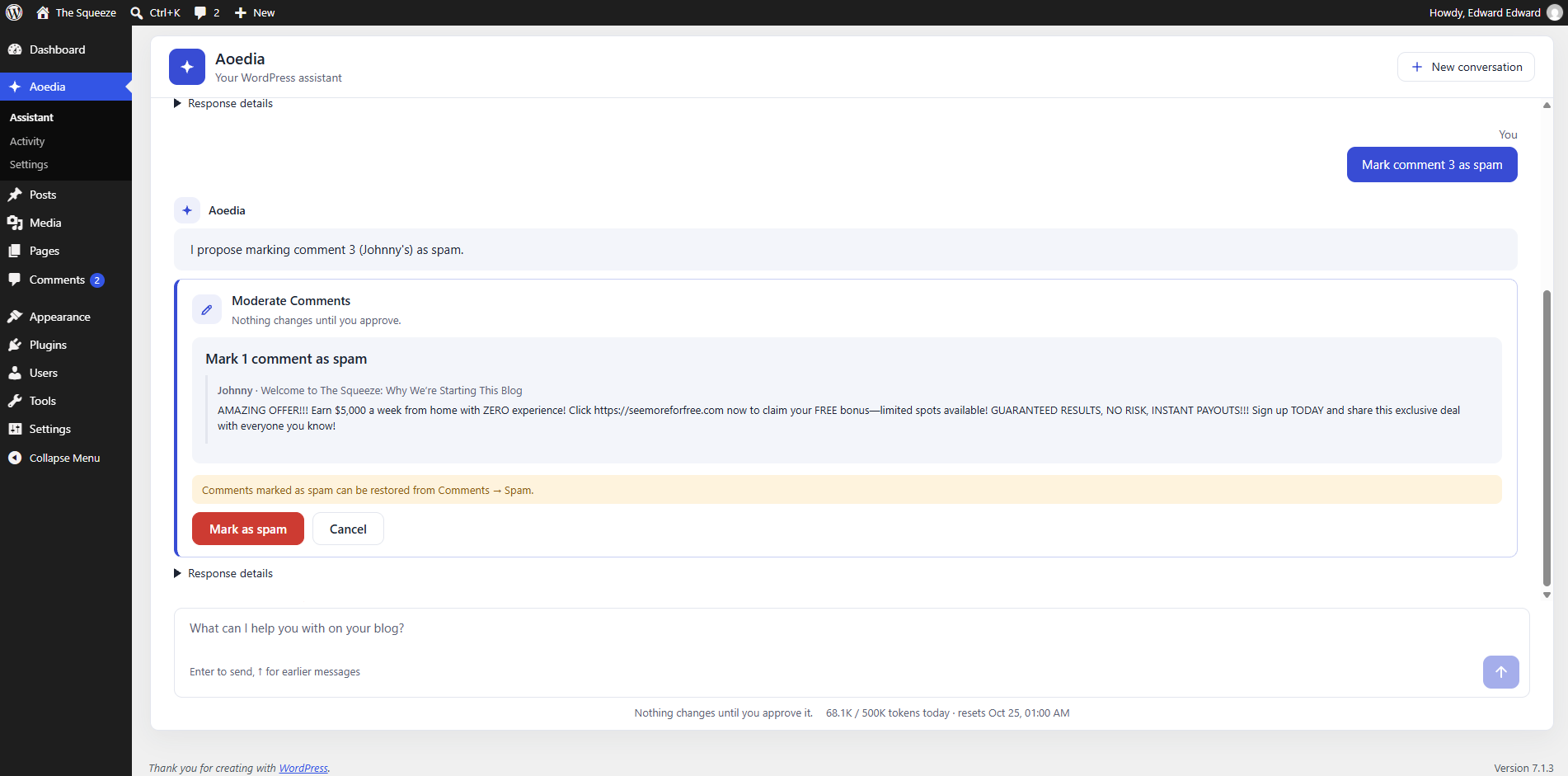
Click Approve and it is done. Click Cancel and nothing changes. Destructive actions are shown in red and say what cannot be undone.
Planned
The free plugin stays complete. Pro will be a separate add-on with more tools for editorial teams, agencies and larger sites.
Authors ask, editors approve. Proposals wait in a shared queue, with an email when one needs you.
Save your tone, style and editorial rules once, and every draft and rewrite follows them.
The blog report arrives on its own every week: what was published, what is waiting, what needs attention.
"Write excerpts for every post that has none." One proposal lists every change, and you approve them together.
Descriptions for the images in your posts and media library, for accessibility and search.
Suggestions for links between your posts, applied only when you approve them.
No dates or prices yet. Everything Aoedia does today stays in the free plugin.
Aoedia is free and open source (GPL). The AI provider you connect bills you for what you use. Daily token limits per role help keep that predictable.
No. Everything Aoedia does today stays free. Pro will only add new tools on top, as a separate plugin.
Any provider you set up under Settings → Connectors in WordPress, such as Anthropic, Google or OpenAI. Aoedia is built on the AI Client and the Abilities API that come with WordPress 7.0.
When you use the chat, your messages and the content Aoedia reads are sent to the AI provider you configured, and nowhere else. The activity log stays on your own site.
No. Anything that changes your site comes back as a proposal first. Publishing only happens through a schedule you approve.
WordPress 7.0 or later, PHP 7.4 or later, and an AI provider set up under Settings → Connectors.
In your admin, go to Plugins → Add New, search for “Aoedia” and click Install Now. You can also download it from the WordPress.org plugin directory.
Free in the WordPress.org plugin directory.
Get it on WordPress.org